PGGB / Apple Music guide
Follow Apple Music on your Mac
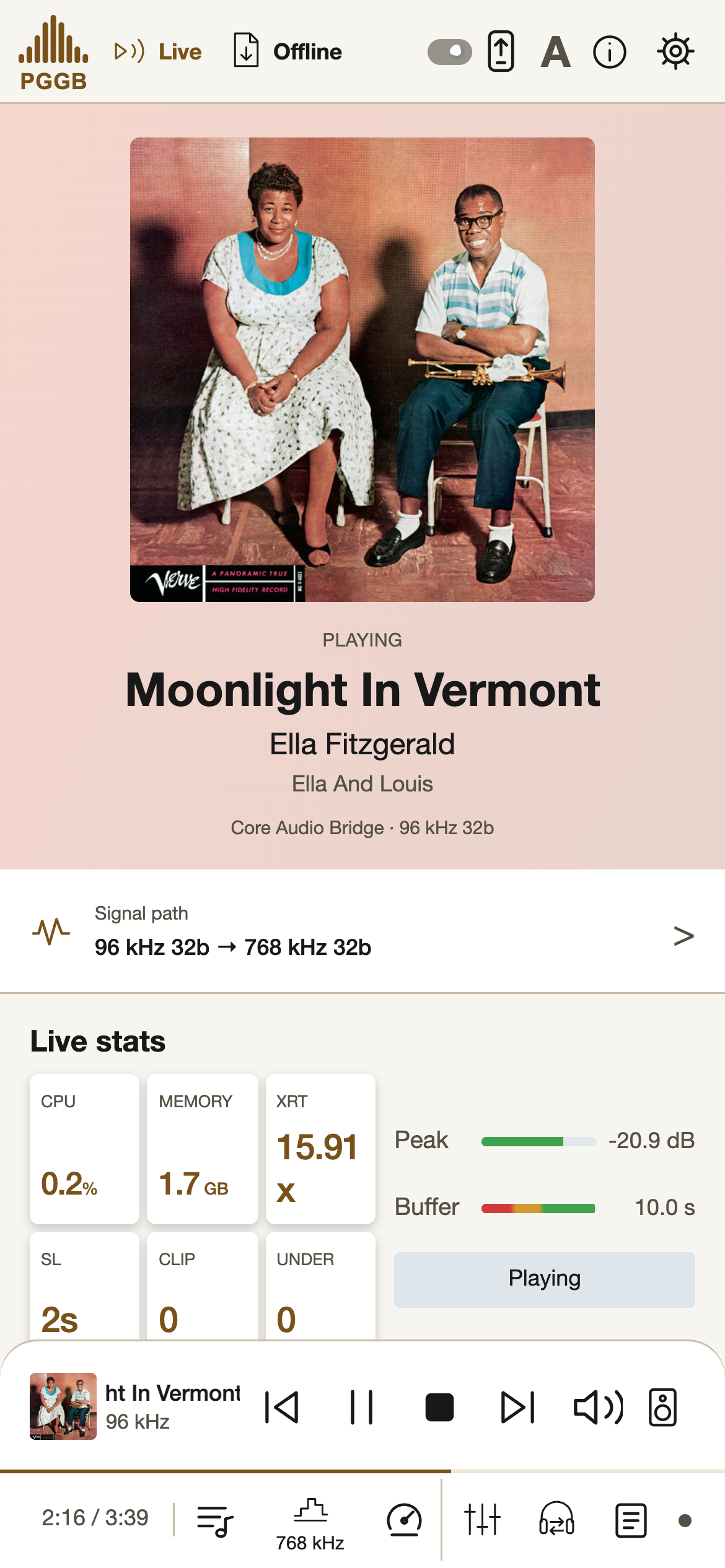
Play from the Music app through PGGB Bridge. PGGB shows the track, artist, album and artwork, follows the track’s sample rate, and processes the sound for your chosen output. You can use Music’s controls, or control Music from PGGB and the Remote.
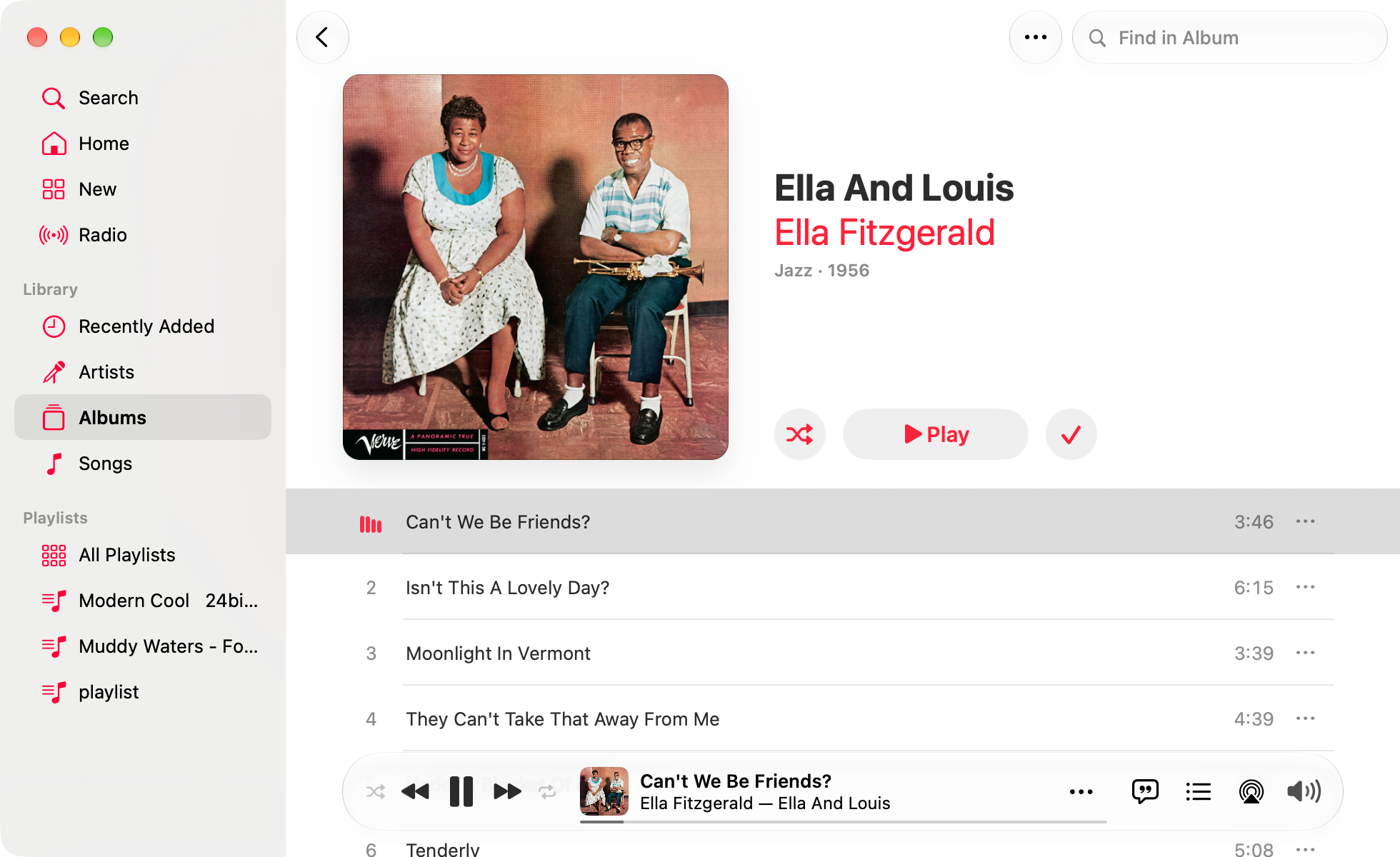
Apple Music / 01
Set up
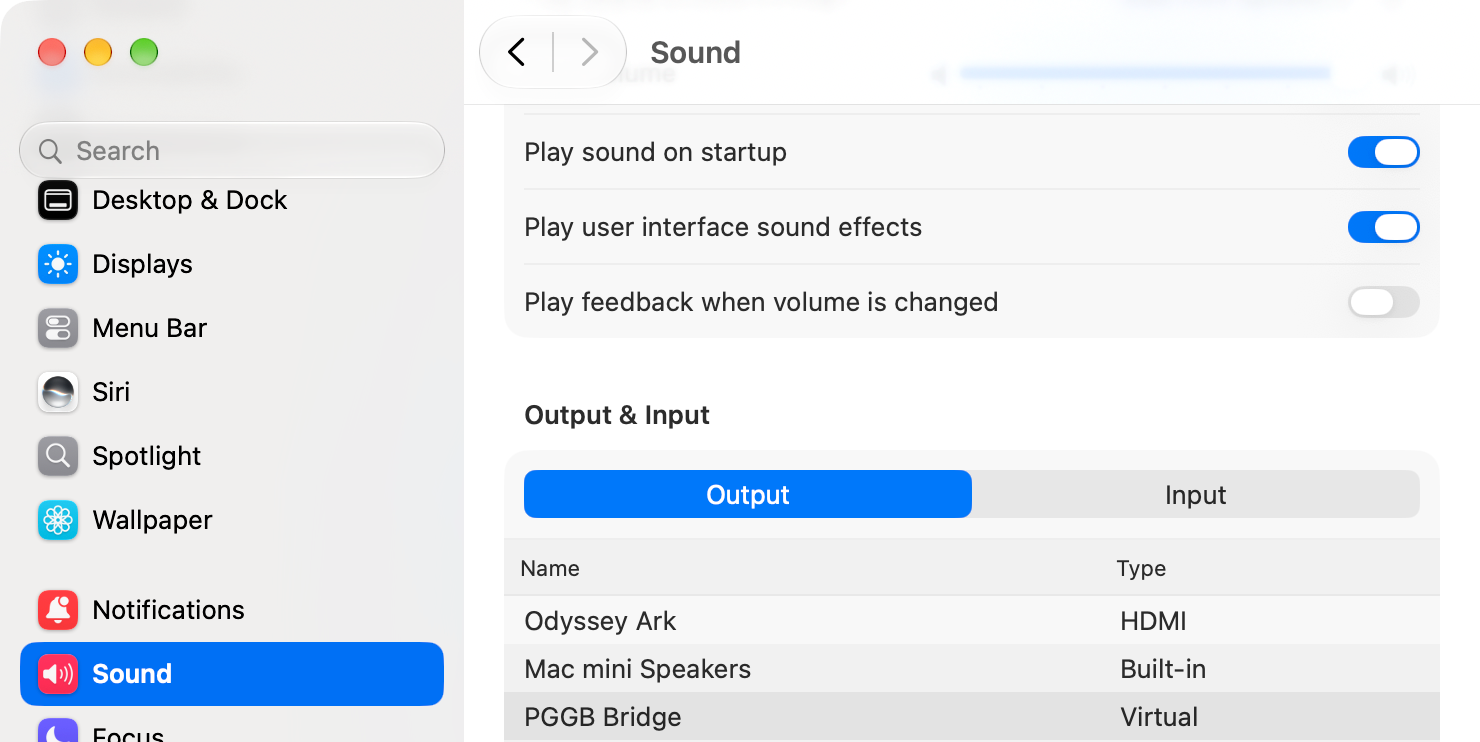
- On the Mac, open System Settings → Sound → Output and choose PGGB Bridge. You can also choose it from the Sound menu in the menu bar.
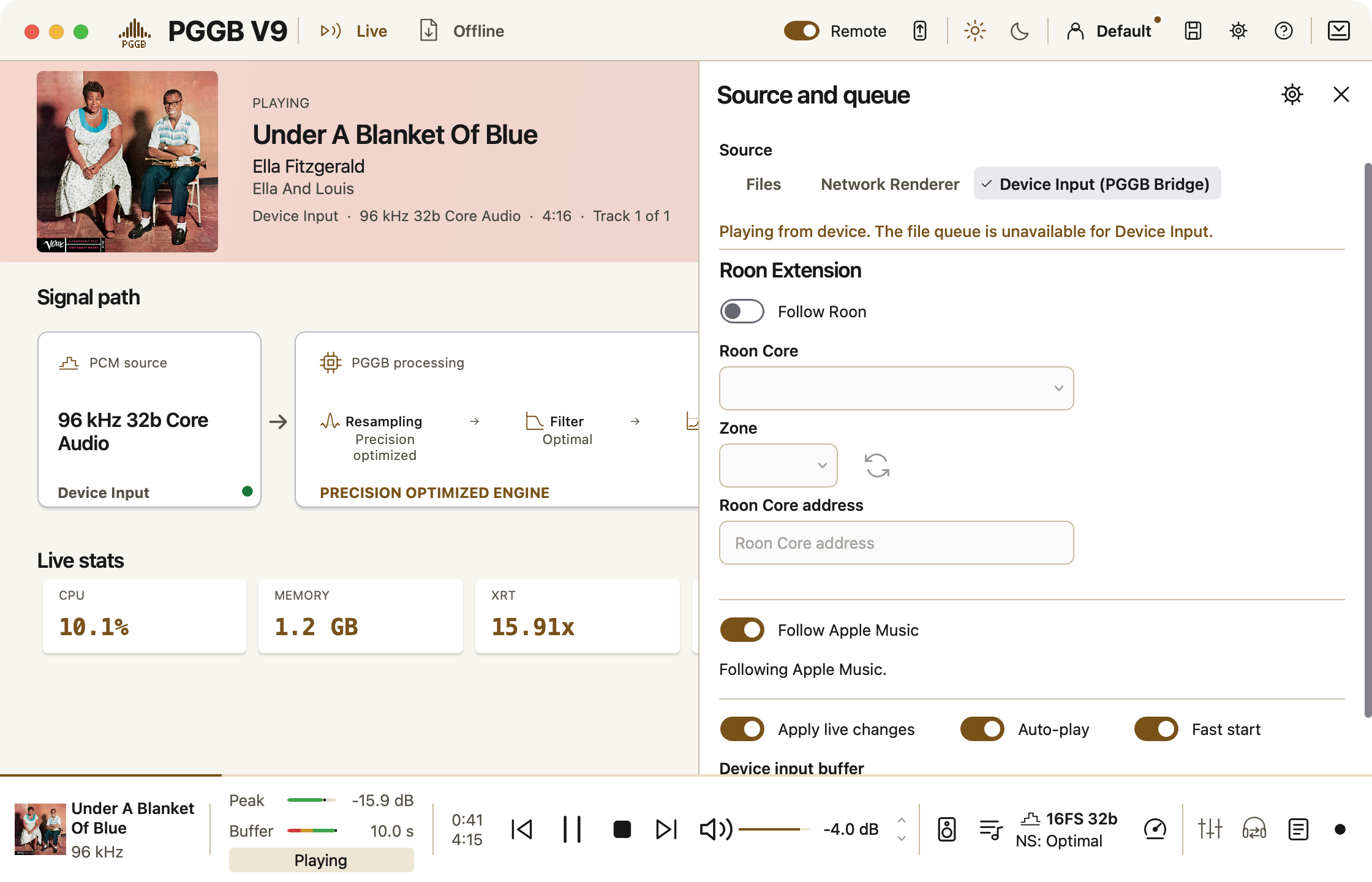
- In PGGB, choose Live and Device Input (PGGB Bridge), then select your output.
- Turn on Follow Apple Music and play a track in Music.
Follow Apple Music is available on Mac in Device Input. It is off by default and is not saved in a profile. Turning it on turns Follow Roon off; turning Follow Roon on turns Follow Apple Music off.
Check Music’s settings
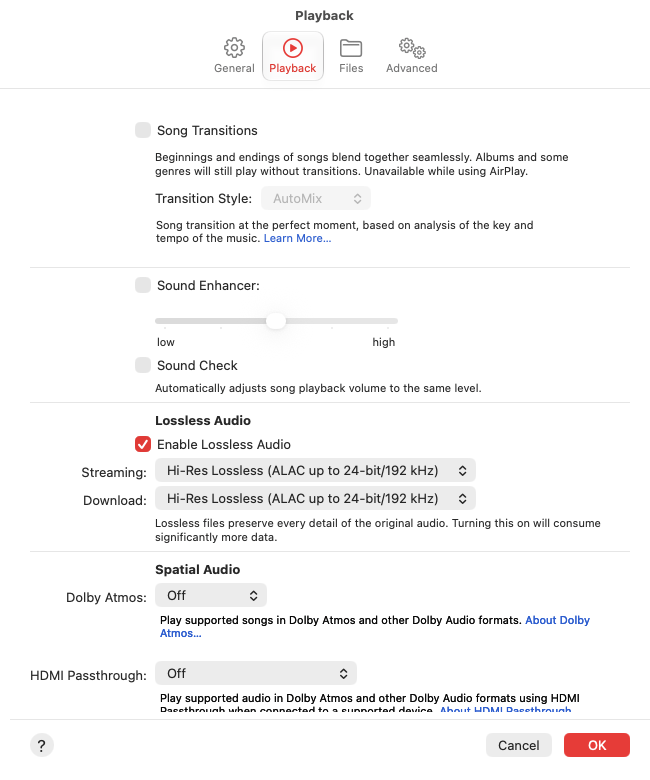
In Music, turn off Sound Check, EQ, Crossfade and Dolby Atmos, and set Music’s volume to full. In Music → Settings → Playback, turn on Lossless Audio and choose the lossless quality you want for streaming and downloads. Sound Check changes each track’s level; leave it off when you want the original level.
PGGB Bridge does not apply the Mac’s volume or mute to the audio.
Apple Music / 02
Allow Music access
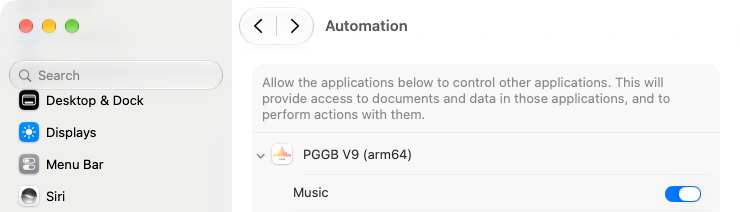
When macOS asks whether PGGB may control Music, allow it. This lets PGGB read the track already playing and its artwork, and send playback and seek commands to Music.
If Music is running, PGGB asks when you turn Follow Apple Music on. If Music starts later, the prompt can appear when PGGB first requests artwork or you use a PGGB playback button.
If you refused access, open System Settings → Privacy & Security → Automation → PGGB → Music to change it. Without permission, PGGB can still follow Music’s announcements, but artwork is unavailable, the track already playing waits for Music’s next announcement, and PGGB’s buttons control PGGB only. Use Music’s own controls in that case.
Apple Music / 03
Play and control Music
When you turn the follow on while Music is running, PGGB reads the current track, its position and artwork. PGGB Bridge changes to the track’s own sample rate when that rate is supported and differs from the current one. This also applies to a paused track.
With Automation access allowed, Play, Pause, Stop, Previous, Next and the seek bar in PGGB and the Remote control Music. Hover over PGGB’s seek bar to see the time. Music’s own controls still work.
Previous restarts the current track when it is more than three seconds in; otherwise it selects the previous track. A seek made just after a track starts may wait until about 1.5 seconds after the start before Music accepts it.

When the sample rate changes
PGGB follows the rate of each track. Expect a brief break and fade-in when the rate changes, including when you first turn the follow on. A change for a paused track happens during the pause.
In the local-file test, a rate change lost about the first 72 milliseconds of the new track, followed by a fade-in of about 130 milliseconds. Music also applies its own short fades when you play and pause.
What has been checked
Local files in Music were bit-exact into PGGB Bridge at matching rates of 44.1, 88.2, 96, 176.4, 192 and 352.8 kHz with Sound Check off, on macOS 27.0.1. This is not a bit-perfect claim for streamed Apple Music tracks or for the processed output from PGGB.
Streamed-track bit-perfect playback, macOS 12–26, Intel Macs and AirPlay or Bluetooth outputs selected inside Music have not been verified in this work.
Apple Music / 05
Connection help
Music is not being followed
Check that the Mac’s output is PGGB Bridge, PGGB is in Live → Device Input, and Follow Apple Music is on. The status line names another output if Music is playing to it.
No artwork or playback control
Check the Automation permission for PGGB → Music. Music’s own controls remain available if permission is refused.
The output keeps changing
A remote-desktop tool can take over the Mac’s default output. Choose PGGB Bridge as that tool’s sound device, or disconnect the tool, then select PGGB Bridge again.
The sample rate does not follow
If the status says PGGB cannot read the track’s sample rate, PGGB Bridge stays at its current rate.