PGGB is audio remastering software for your Mac or Windows computer. It can upsample or downsample music to a rate and format your DAC accepts. It can apply EQ or room correction; if you are a headphone user, it can also do crossfeed. Most listeners use PGGB for upsampling.
Save upsampled music as files for later, or process music from your library or a supported streaming source as it plays.
PGGB performs its calculations with up to 256-bit precision, keeping rounding errors extremely small. Your DAC then converts the resulting PCM or DSD signal into analog sound.
PGGB V9’s new engine uses hardware acceleration for its high-precision math, so it processes faster and needs far less RAM than earlier versions.
A music file holds a sequence of digital samples. To play it, your DAC converts those samples into a continuous analog waveform. Many DACs first calculate extra samples between the recorded ones. This is upsampling.
PGGB can do that work on your computer with up to 256-bit precision, keeping numerical errors extremely small.
The extra samples should follow the waveform represented by the recording. Calculating them accurately helps preserve the music’s detail and character.
This is part of reconstruction: rebuilding the continuous waveform from its samples. PGGB calculates the additional samples; your DAC turns the resulting signal into analog sound.
Your trackThe recording you already have
PGGBUpsamples with up to 256-bit precision and outputs high-rate PCM or DSD
Your DACConverts the upsampled signal into analog sound
Many DACs upsample before converting your music to sound. PGGB upsamples your music on your computer, using up to 256-bit precision, improving music quality beyond what your DAC's processing chip is capable of, and reducing noise by allowing your DAC to focus only on conversion.
For comparison, DACs typically calculate with 32 significant bits. Working with 256 bits gives more than 10⁶⁰ times finer numerical resolution: a 1 followed by 60 zeros.
Reconstruction accuracy.
PGGB reconstructs your music as accurately as its precision allows, and its HF filtering removes unwanted high-frequency content before it reaches your DAC.
V9 sounds better than earlier versions, and it is faster and needs much less RAM.
Precision throughout processing.
PGGB uses high precision for decoding, EQ, crossfeed, resampling and conversion to PCM or DSD. Arithmetic at up to 256 bits retains very small differences with extremely little rounding error.
Ultra-low noise.
Your DAC receives PCM at a supported bit depth or a 1-bit DSD stream. Converting the high-precision result to either format introduces quantization noise. PGGB’s noise shapers and modulators keep that noise extremely low in the audible band, helping preserve small musical details.
“
Your DAC still matters. PGGB performs reconstruction and noise shaping or DSD modulation at far higher numerical precision than DACs use internally. DACs that bypass or reduce their own processing when they receive a high-rate signal from PGGB tend to benefit most, but listeners have reported improvements with a wide range of DACs, including ones that keep processing the input.
The useful format and rate depend on your DAC’s design and connection. Its input interface, power supplies and analog output stage still contribute to the sound you hear.
The real test is how it sounds in your own system. See what we know about your DAC, read other listeners’ impressions, then try PGGB free for 30 days.
You can do more than just upsampling with PGGB. Use EQ to adjust tonal balance, crossfeed for headphone listening, or change how PGGB handles the highest frequencies to fit your preference.
EQFine-tune the tonal balance
Adjust bass, midrange or any other frequency band.
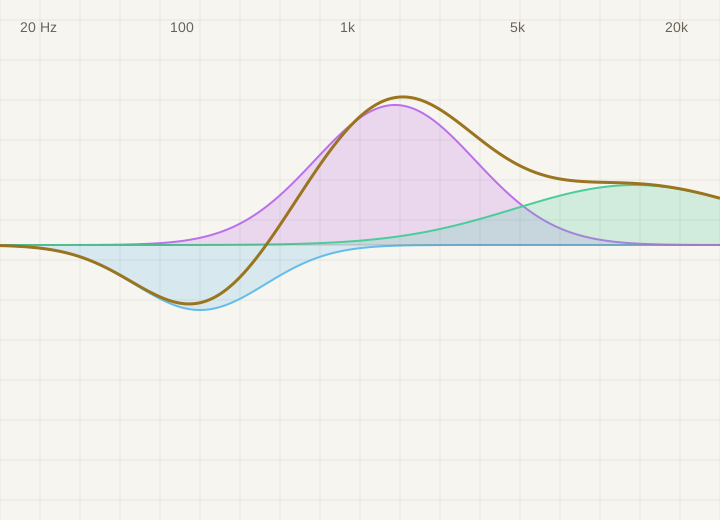
Equalization changes the balance of bass, midrange and treble. You can add warmth to lean-sounding headphones, reduce excessive brightness or tame a bass peak caused by your speakers and room.
Make a broad, gentle adjustment or target a narrow frequency range without turning down the whole track. PGGB supports parametric and convolution EQ in Offline and Live, including correction profiles you already use.
If a familiar voice sounds thin or bass overwhelms the music, PGGB-EQ lets you adjust the balance while keeping the sound clear and natural.
Parametric EQ lets you choose which frequency to adjust, how much to raise or lower it, and how broad the adjustment should be. Use it for small changes to taste or a headphone correction profile.
Convolution EQ.
Convolution EQ uses a prepared filter that can contain multiple adjustments. Supply a filter made for your headphones or measured for your speakers and room, and PGGB applies it during processing.
EQ can improve tonal balance, but a filter cannot fix every acoustic problem. Speaker placement, the room and the recording still affect the sound.
Your chosen EQ is applied when PGGB creates the files.
Room and CrossfeedAdjust headphone crossfeed with PGGB-ARC
Crossfeed lets each ear hear a little of both channels.
With speakers, sound from each speaker reaches both ears. Headphones usually keep the left and right channels separate. Crossfeed mixes a small, delayed and filtered amount of the opposite channel into each ear.
PGGB-ARC models some of this interaction, including the time sound takes to travel around your head and how it changes on the way. It can make the channels feel more connected while preserving stereo space.
In an older stereo recording, the singer may be entirely in one ear and the instruments in the other. Crossfeed can soften that separation and make the performance sound more cohesive.
A small amount softens hard left/right separation. Increasing it sends more of the opposite channel to each ear. The aim is comfortable stereo listening, rather than a mono blend.
Personal head measurements.
Your head and shoulder dimensions affect how sound reaches your ears. ARC can use personal measurements to refine its crossfeed model, and its virtual speaker angle changes the listening perspective.
Optional Room reflections.
Optional Room reflections add the early echoes and fading reverberation associated with listening in a room. This is separate from crossfeed and is available for Offline processing. Crossfeed itself works in both Offline and Live.
The effect varies with the recording, headphones and listener. Crossfeed is another option for stereo listening; it does not make headphones sound identical to speakers in a room.
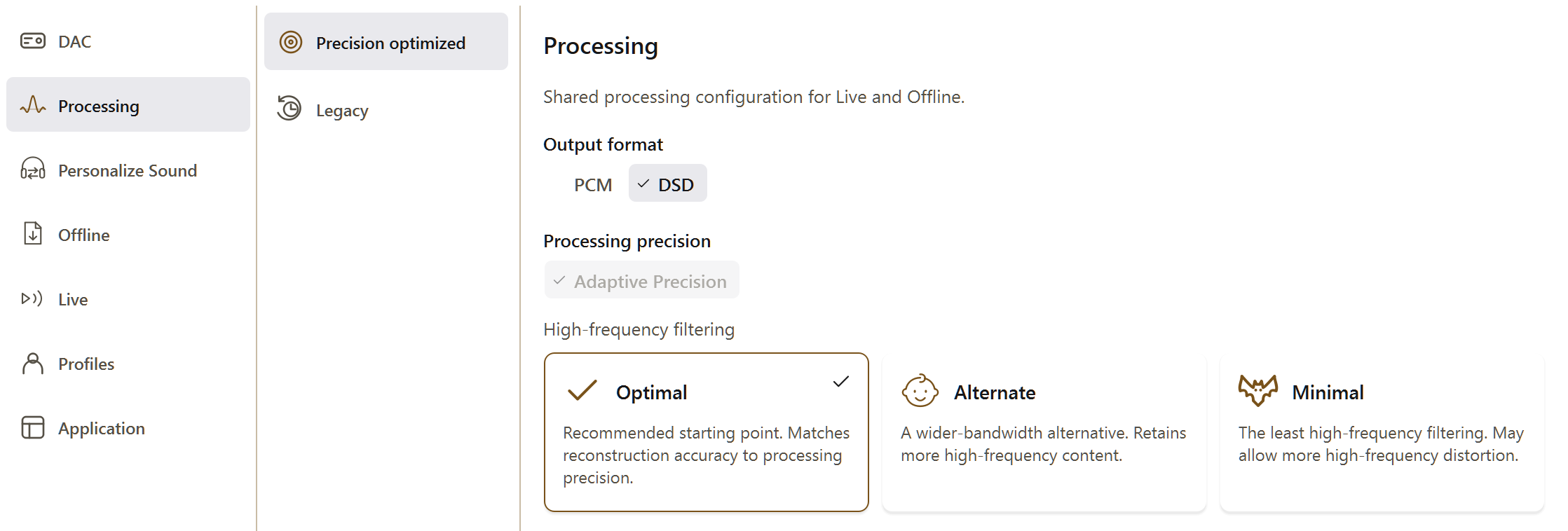
OptimalStart hereAlternateWider bandwidthMinimalLeast filteringFilter High FrequenciesChoose Optimal, Alternate or Minimal
Choose how to handle the highest frequencies.
Optimal and Alternate are choices within PGGB’s Precision Optimized Upsampling Engine. Both match reconstruction accuracy to PGGB’s internal calculation precision within the frequency range they preserve.
Alternate keeps a slightly wider frequency range before rolling off. Start with Optimal, then compare on familiar music. Minimal applies the least high-frequency filtering and may allow more high-frequency distortion. The choice depends on your system and listening preferences.
The default and recommended starting point. Leave it selected for your first listen.
Alternate.
The wider-bandwidth alternative. It retains more high-frequency content; a wider bandwidth does not automatically mean a better listening result.
Minimal.
The least high-frequency filtering. It may allow more high-frequency distortion.
Leave Precision optimized selected to use these choices. This filtering reduces high-frequency distortion after upsampling and is separate from EQ correction filters.
Listeners describe natural timbre, clearer separation of instruments and a convincing sense of space.
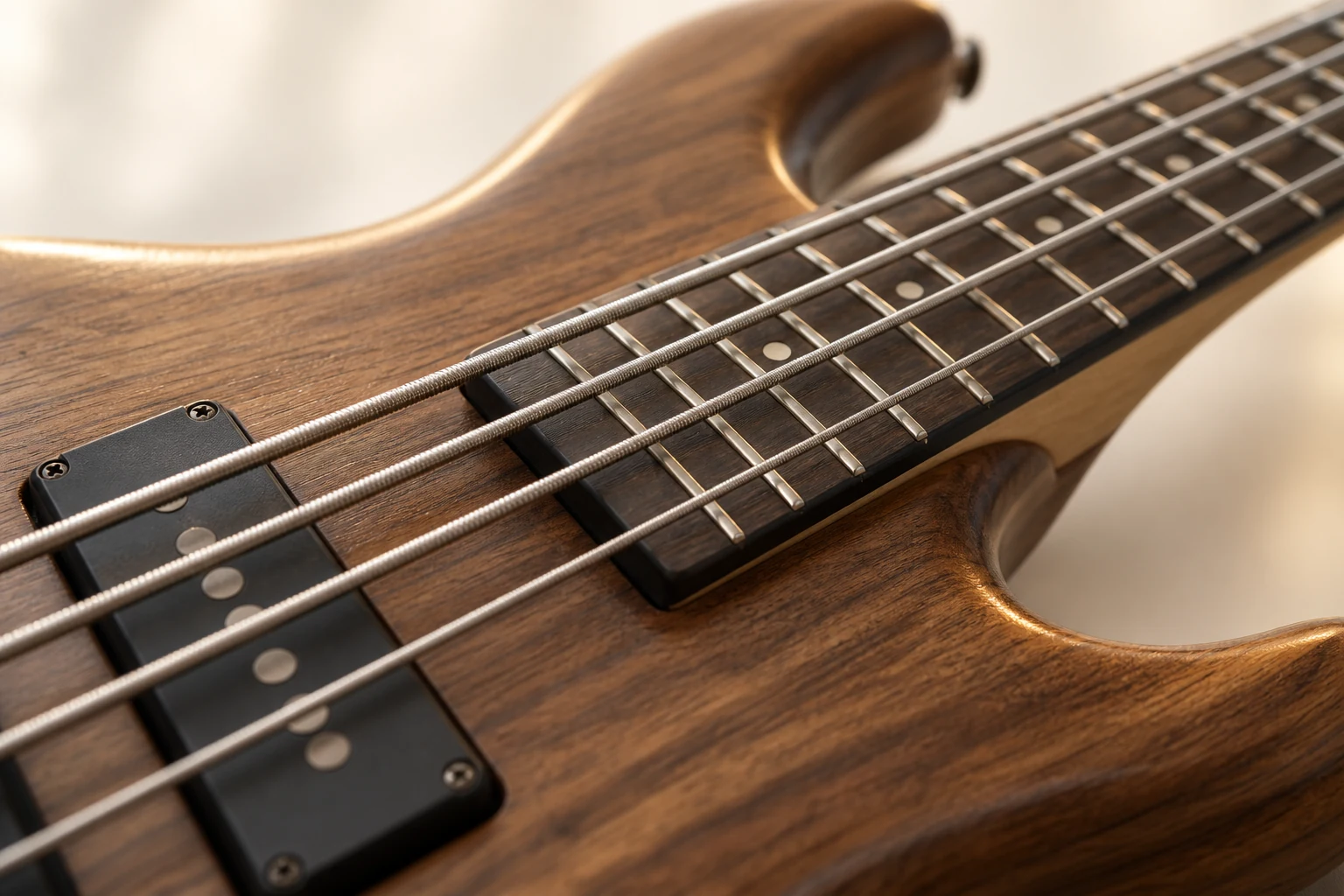
Try a familiar voice, the decay of a piano note or the texture of a bass string. Compare at the same listening level and take your time. The recording, settings and playback system all affect what you hear.
Other listeners’ experiences can help you decide what settings to try first.
Find your model to see recommended settings and any listening impressions. If it is not listed, choose its DAC design. When you are ready to try PGGB, continue to Get started.